



Quick Start
Sign in to Atlas, complete onboarding, run your assessment, and connect your first integration.
Prerequisites
- Chrome, Firefox, Edge, or Safari
- An email already added by an Atlas admin in Settings
- Access to your company's identity provider
Sign in
Atlas uses your organization's identity provider. There is no self-serve password signup.
- Open https://atlas.datawall.net (or the URL your admin shared).
- Click Sign in.
- Complete identity-provider login.
- You land on Dashboard.
- Ask an admin to add your email in Settings → Team Members.
- Sign in with that same email.
- If you see Account not set up yet, wait for the invite, then sign in again.
The first person to sign in to a new Atlas instance becomes the organization admin and can invite everyone else.
Complete onboarding
The setup wizard opens until all five steps are done. Admins can skip a step and return later from the dashboard checklist banner.
Company profile
Rename My Organization. Set industry and company size.
Pick frameworks
Choose SOC 2, ISO 27001, GDPR, DPDP Act 2023, ISO 9001, and/or ISO 42001. Change this later under Compliance → Frameworks.
Complete the assessment
Open Assessment. Answer Yes, Partial, or No for each CIS control. Submit to generate the roadmap.
Review recommended controls
Confirm the controls Atlas recommended from your answers.
Start implementation
Assign at least one task owner and attach one evidence item.
Connect your first integration
Integrations turn sample data into live inventory, findings, and Security 360 signals. Only admins can connect or sync.
Open Integrations
Sidebar bottom → Integrations (/integrations).
Pick a connector
Start with the source you already use - AWS, Google Cloud, GitHub, or KiteCyber.
Connect and sync
Follow the in-app setup steps, then click Connect & sync or Sync now. Inventory and Security 360 update on the next sync.
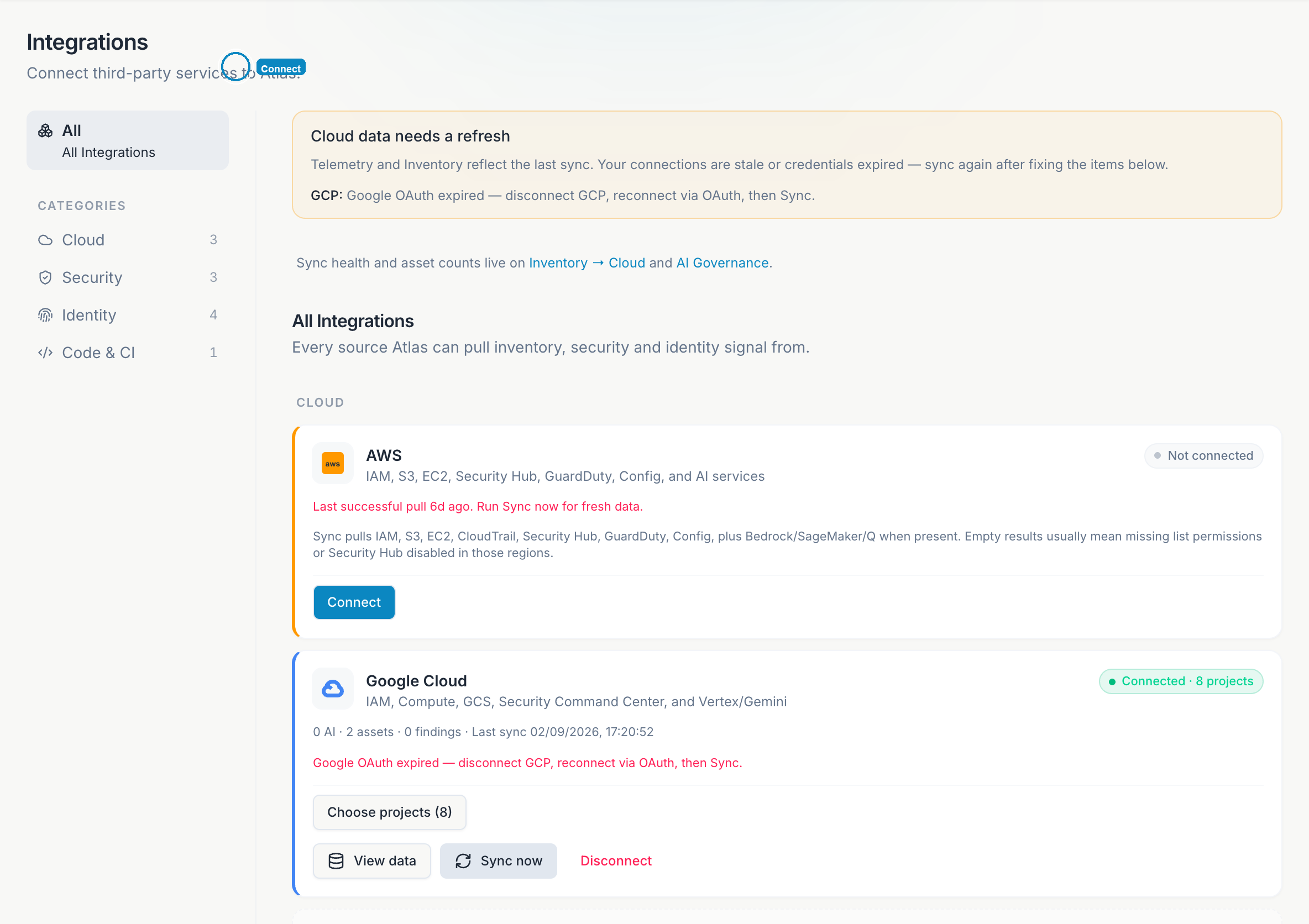
See Integrations for per-connector setup details.
Roles before you invite
Only admins can finish onboarding, submit assessments, and connect integrations. Viewers see the same pages read-only.
| Action | Admin | Viewer |
|---|---|---|
| Sign in | Yes | Yes (if invited) |
| Submit assessment | Yes | No |
| Connect integrations | Yes | No |
| Invite teammates | Yes | No |
Full matrix: Roles and access.
Assessment tips
The assessment is the engine behind score, roadmap, tasks, and risks. A few practices that improve output quality:
- Use Partial when a control is in progress - it produces more accurate roadmap items than No.
- Save each pillar before moving on; submit only when every section is reviewed.
- Re-submit after major changes (new MFA rollout, first cloud integration) to refresh the score history.
See Assessment for pillar breakdown and Onboarding wizard for how the five setup steps map to the product.
Connector comparison
| Connector | Best for | Feeds |
|---|---|---|
| AWS | Production cloud on Amazon | Inventory, Security 360, Vulnerabilities, AI Governance |
| Google Cloud | GCP workloads and Vertex/Gemini | Same surfaces as AWS |
| GitHub | Codebase and Copilot governance | AI Governance, Security 360, secret findings |
| KiteCyber | Endpoint and shadow SaaS visibility | Inventory, Vulnerabilities, AI Governance |
Detailed setup: Integrations.
Where to go next
First-week playbook
Day-by-day plan through executive PDF and weekly rhythm.
Dashboard
Posture score, pillar radar, and Executive View.
Security 360
Live connector posture across cloud, identity, codebase, and endpoints.
Platform map
Full index of every Atlas page in these docs.
After you submit the assessment, open Roadmap for the Do now list, then Dashboard → Executive View for a board-ready PDF.