

Security 360
Unified security posture from connected integrations - cloud, identity, codebase, endpoints, and telemetry.
Where it lives
Sidebar → Security 360 (/dashboard/security-360)
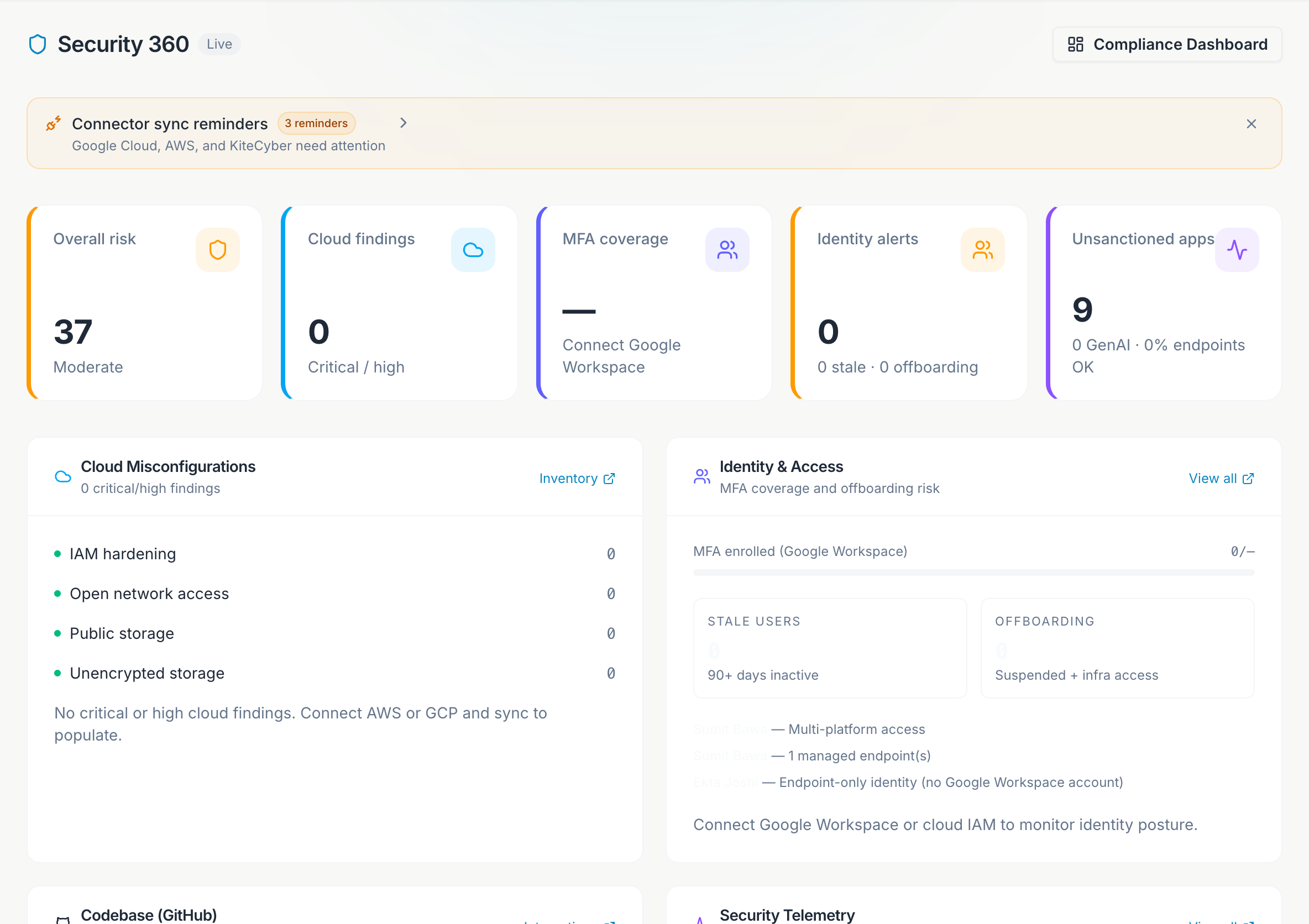
Security 360 is the operational view for live connector data. The Compliance Dashboard (score and radar) stays on Dashboard; Security 360 shows what your integrations are reporting right now.
What it shows
When one or more integrations are connected and synced, Security 360 aggregates signals into five widgets:
Findings from AWS Security Hub, GuardDuty, Config, and GCP Security Command Center - grouped by severity and service.
IAM users, roles, and principals with risky permissions or stale access across AWS and GCP.
GitHub org posture - Copilot seat inventory, open secret scanning alerts, branch protection gaps, and members without MFA.
Device compliance from KiteCyber - encryption, antivirus, firewall, and policy enforcement flags.
Shadow SaaS, GenAI app usage, and endpoint telemetry that feeds AI Governance and inventory.
Modes
| Mode | What it means |
|---|---|
| Empty | No integrations connected yet. Connect sources in Integrations. |
| Sample | Demo data while you evaluate Atlas. Banner prompts admins to connect. |
| Live | At least one connector synced successfully. Widgets show real counts and findings. |
Connector sync issues
If a sync fails or credentials expire, a banner appears at the top with the fix - for example, reconnect GCP OAuth or re-run the AWS CloudShell script. Admins can open Integrations directly from the banner.
Connect integrations
Admins open Integrations and connect AWS, GCP, GitHub, and/or KiteCyber.
Sync
Click Sync now after each connect. Scheduled syncs run automatically in hosted Atlas.
Review widgets
Start with overall risk level, then drill into the widget with the highest open finding count.
Triage in Atlas
Findings flow into Vulnerabilities, Risks, Inventory, and AI Governance depending on source.
Use Compliance Dashboard in the header to jump back to assessment-driven score and roadmap work.
Viewers see live data but cannot connect, disconnect, or sync integrations.