



Policies & Standards
Central policy library mapped to framework controls, master tasks, and lifecycle status.
Where it lives
Sidebar → Compliance → Policies & Standards (/policies)
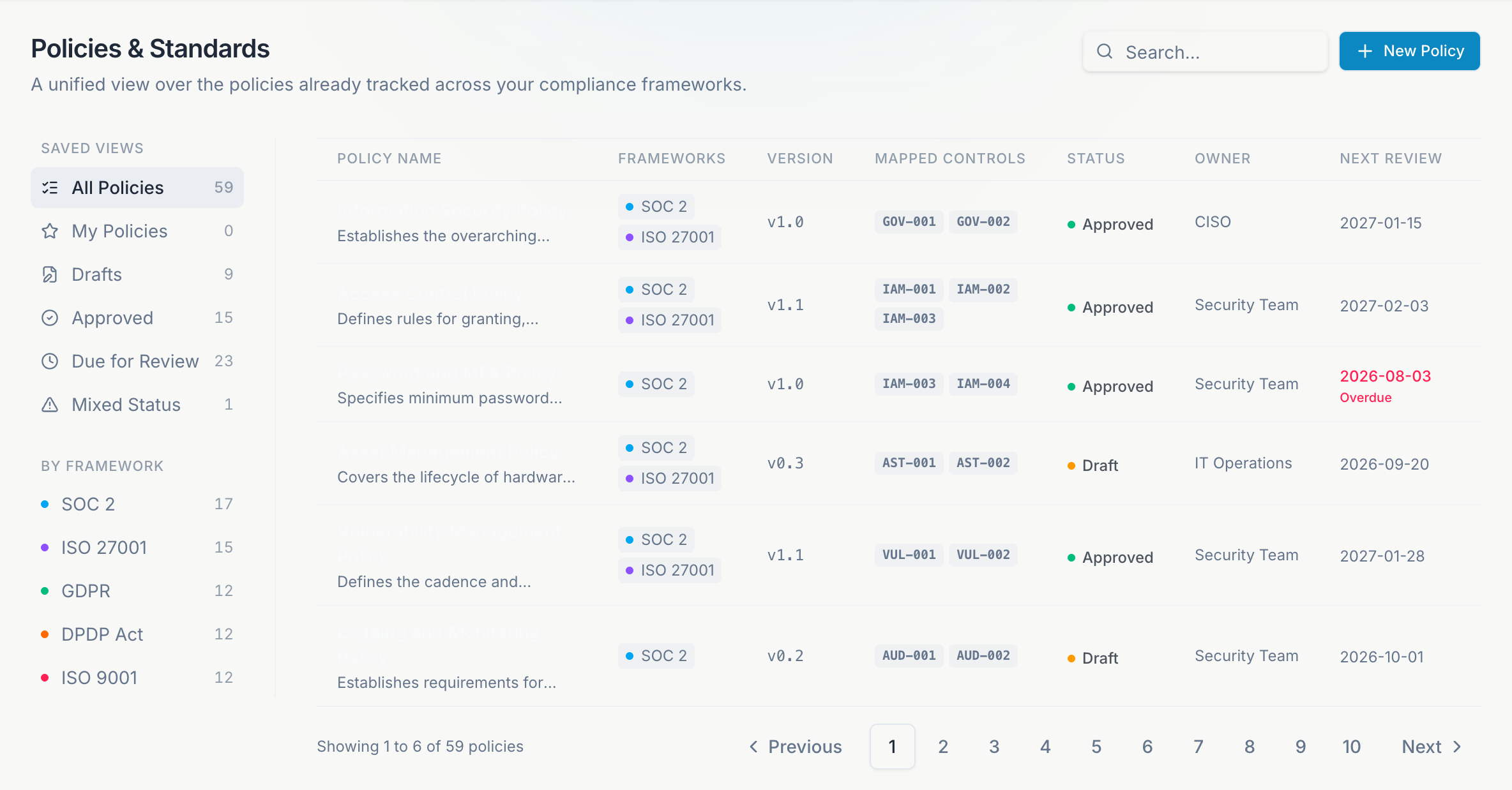
Policies & Standards is the single policy library for your organization. Instead of maintaining duplicate copies in each framework workspace, Atlas maps one policy to SOC 2, ISO 27001, GDPR, DPDP, ISO 9001, and ISO 42001 controls through master task IDs (MTIDs).
What you can do
Search and filter policies by framework, domain, lifecycle status, or keyword. Each card shows linked controls and the current revision state.
Admins draft policies from templates or scratch. Set owner, review cadence, effective date, and lifecycle status (Draft, In Review, Approved, Retired).
Attach framework control references so one approved policy satisfies evidence in multiple standards. See Cross-Framework for MTID details.
Track previous revisions, approval dates, and who submitted and approved each policy. Retired versions stay available for audit.
Maker-checker approval
Atlas enforces separation of duties on centrally managed policies:
- When an admin submits a policy for review, they cannot assign themselves as reviewer - only another admin in the org can be selected.
- The person who submitted a revision cannot approve it - only the assigned reviewer or another admin can.
- Approval metadata (submitted by, approved by, dates) is recorded automatically and shown in the policy viewer and on downloaded PDFs.
Lifecycle statuses
| Status | Typical use |
|---|---|
| Draft | Work in progress, not yet enforced |
| In Review | Awaiting security or legal sign-off |
| Approved | Active and enforceable |
| Published | Live controlled document, visible org-wide and downloadable as PDF |
| Retired | Superseded or no longer applicable |
Policy document metadata
Published policies and their PDF exports include:
- Owner, version, review frequency, and next review date
- Created by and submitted on (who started the review cycle)
- Approved by and approved on
- Published by (when applicable)
Upload your organization logo under Settings → Organization branding to include it on downloaded policy PDFs.
Relationship to framework workspaces
Each framework workspace (SOC 2, ISO 27001, etc.) still has a Policies tab that shows policies mapped to that standard. Edits in Policies & Standards propagate everywhere the policy is linked.
Start from templates
Use bundled starter policies for common controls (access management, incident response, acceptable use) and customize for your org.
Assign owners
Every approved policy needs an owner and review date before an audit.
Link evidence
Attach the signed PDF or approval record in the framework Evidence tab when auditors ask for proof of publication.
Ask vCISO can suggest policy language gaps based on your assessment answers and open risks.
Viewers can read policies. Create, edit, and retire actions are admin-only.