



Dashboard
Security Dashboard - posture score, pillar radar, history, and shortcuts into Atlas work.
Where it lives
Sidebar → Dashboard (/dashboard)
This is the home page after sign-in. It reflects the latest submitted assessment, not drafts.
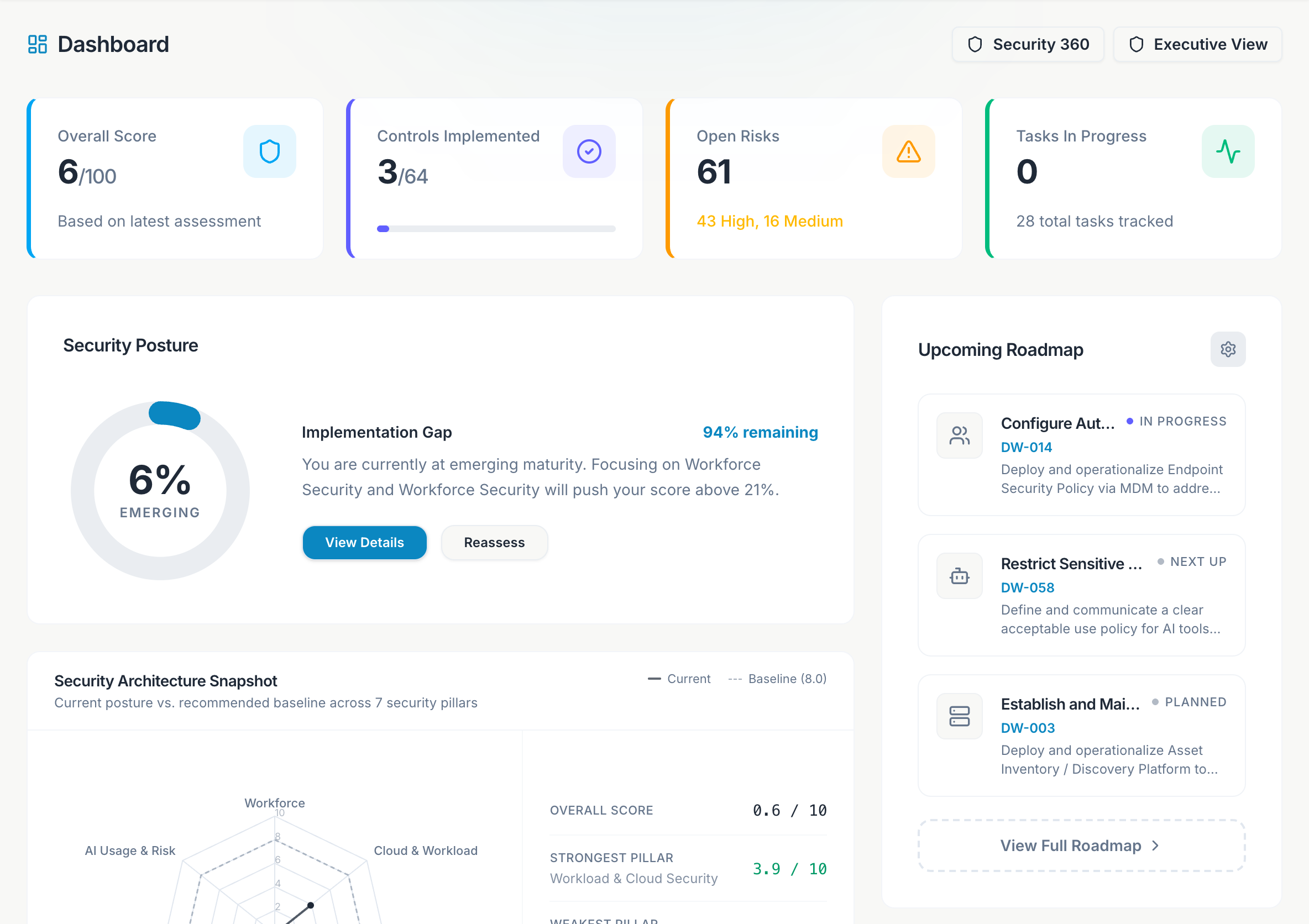
What you see
A 0-100 security score with a maturity label: Emerging (≤25), Developing (≤50), Mature (≤75), Advanced (≤90), Optimized.
Security Architecture Snapshot compares your current state to Datawall's recommended startup baseline across seven pillars: Workforce, Cloud & Workload, App & API, Data, Third-Party, Governance & IR, and AI Usage & Risk.
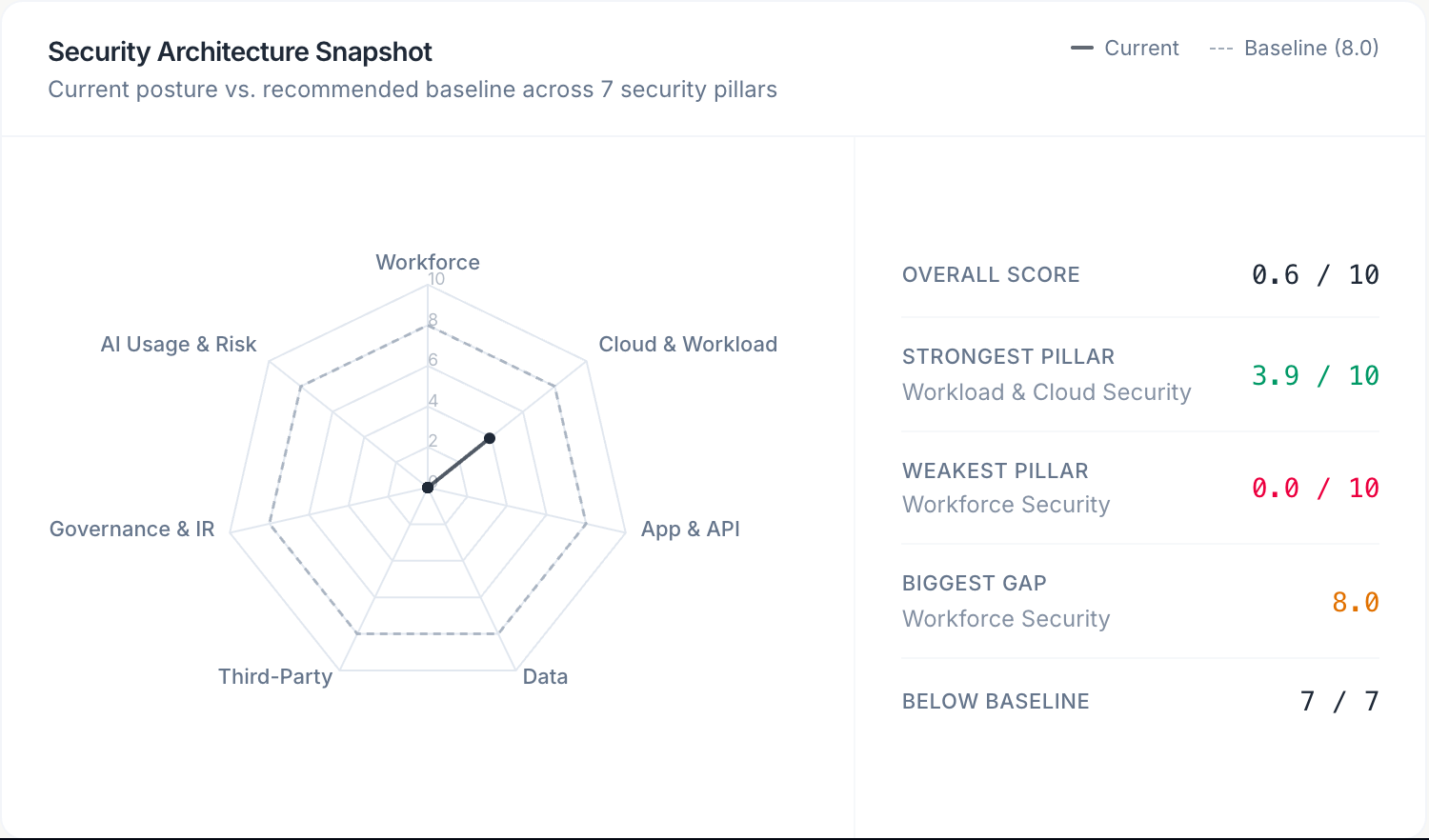
Score over time after each assessment submit. Use it in weekly ops reviews.
In-progress task count, high/medium items from the roadmap, and the next three capabilities. Ask vCISO stays in the bottom-right corner on this page.
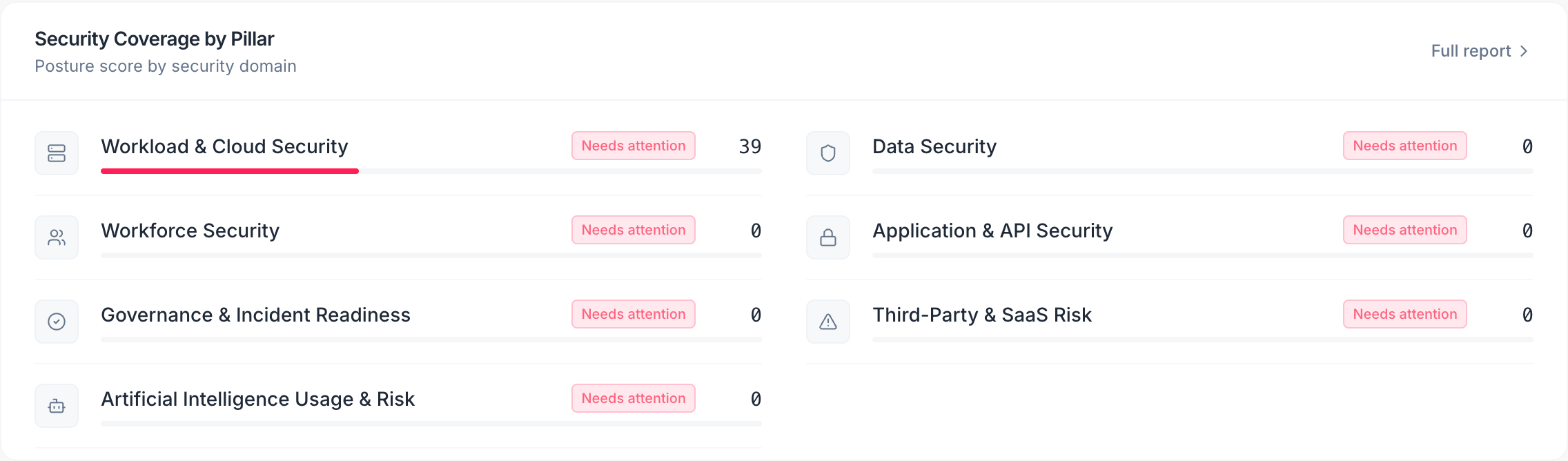
Security Coverage by Pillar shows a percent bar for each pillar. Use View Full Report to jump into the executive summary.
Onboarding checklist
Until setup is finished, a banner shows X of 5 setup steps complete. Click Continue setup to reopen the wizard.
Related pages
| Page | When to use it |
|---|---|
| Security 360 | Live connector posture after you connect AWS, GCP, GitHub, or KiteCyber |
| Executive View | Board-ready PDF summary |
Submit an assessment
If the score looks like sample data, go to Assessment and submit real answers.
Scan the radar
Weak pillars are the first place to spend roadmap effort.
Follow the queue
Jump to Roadmap or Tasks from the upcoming items.
Ask vCISO (bottom-right) can explain why the score moved after a submit.