



Inventory
Identities, endpoints, cloud resources, and software - manual entry or synced from integrations.
Where it lives
Sidebar → Security → Inventory (/inventory)
Inventory replaces the older single Assets page. Four tabs organize everything your organization owns or uses.
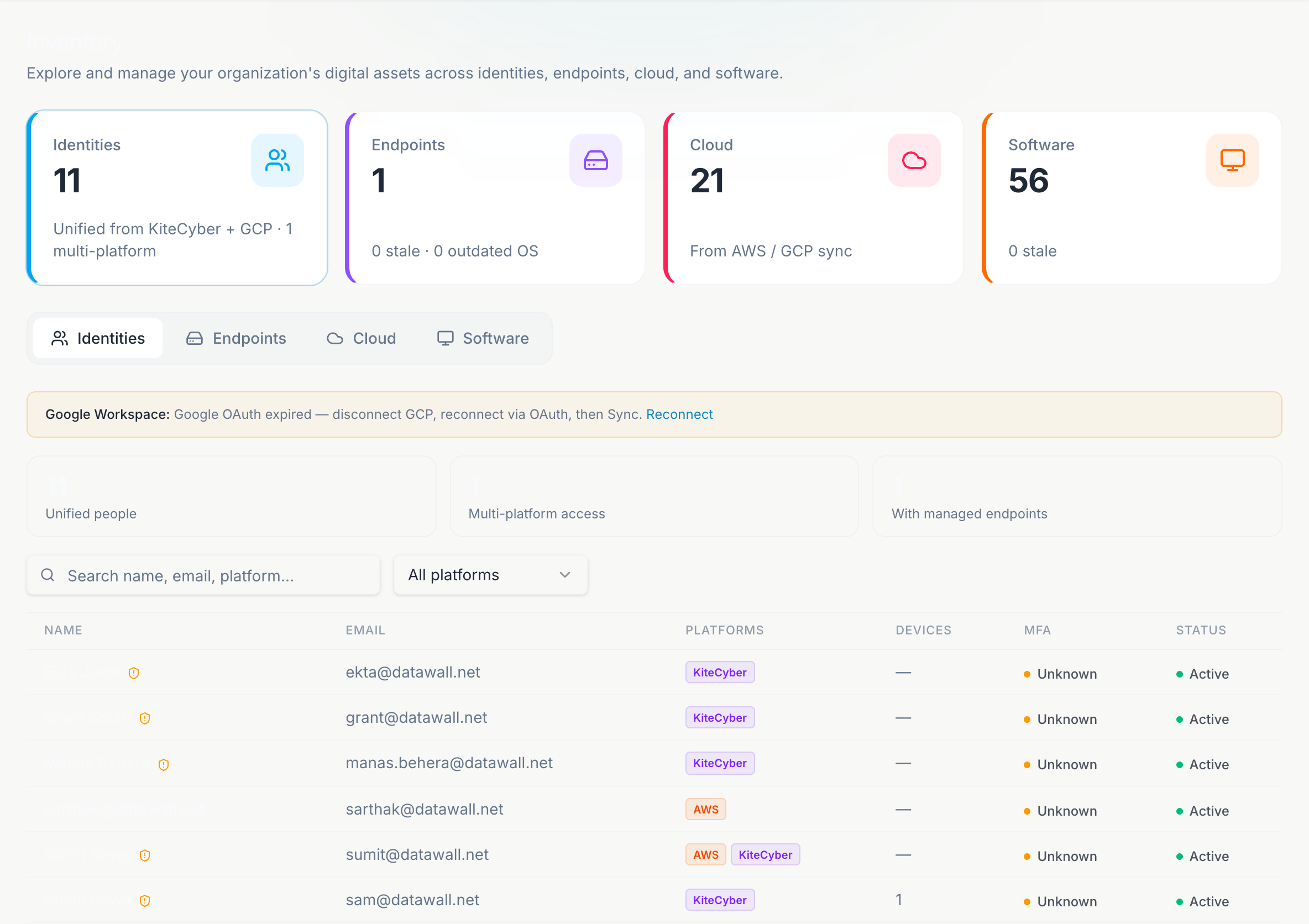
Tabs
Workforce accounts from identity providers and cloud IAM - name, email, source, MFA status, last login, and active/inactive state. Populated by AWS, GCP, or sample data until connected.
Laptops and workstations - hostname, OS, owner, serial, location, and compliance flags. KiteCyber sync fills this tab automatically.
Cloud resources from AWS and GCP - accounts, projects, storage buckets, compute instances, and related metadata.
Applications and SaaS - endpoint apps, sanctioned SaaS, shadow SaaS, web apps, and GenAI tools. Sources include KiteCyber, manual entry, and integration sync.
Summary cards
Each tab opens with KPI cards at the top (counts, stale items, MFA gaps, outdated OS, and similar). Cards link directly into the active tab.
Sample vs live data
Until an integration is connected, Atlas shows sample data with a banner and a Go to Integrations shortcut. After a successful sync, the banner switches to live mode with last-sync metadata.
Manual vs synced
| Source | Behavior |
|---|---|
| Manual | Admins add, edit, and delete rows on applicable tabs. |
| Integration sync | Rows tagged with a source badge (AWS, GCP, KiteCyber, GitHub). Re-sync replaces prior rows from that source; manual rows are kept. |
Connect a source
Open Integrations. Connect KiteCyber for endpoints/software, AWS or GCP for cloud and identities.
Sync
Click Sync now. Check each Inventory tab for updated counts.
Assign owners
Fill missing owners on critical assets before an audit. Classification drives how loudly gaps appear.
Shadow SaaS and GenAI apps from KiteCyber also feed AI Governance and Security 360.
Viewers can browse inventory but cannot add, edit, or delete. Write actions are admin-only.