



Assessment
CIS CSC v8 security questionnaire - Yes / Partial / No per control, then submit to score and generate the roadmap.
Where it lives
Sidebar → Assessment (/assessment)
This is the source of truth for score, roadmap, tasks, risks, and Ask vCISO.
How it works
Atlas walks CIS Critical Security Controls across seven pillars, including Artificial Intelligence Usage & Risk.
For each control choose:
| Answer | Meaning |
|---|---|
| Yes | Fully implemented |
| Partial | In progress or incomplete |
| No | Not yet implemented |
Optional notes are stored with the control and show up in reviews.
Page flow
First visit explains the questionnaire. Start when you are ready to answer as the security owner.
One control at a time, grouped by pillar. Use next/back. Progress is saved as you go.
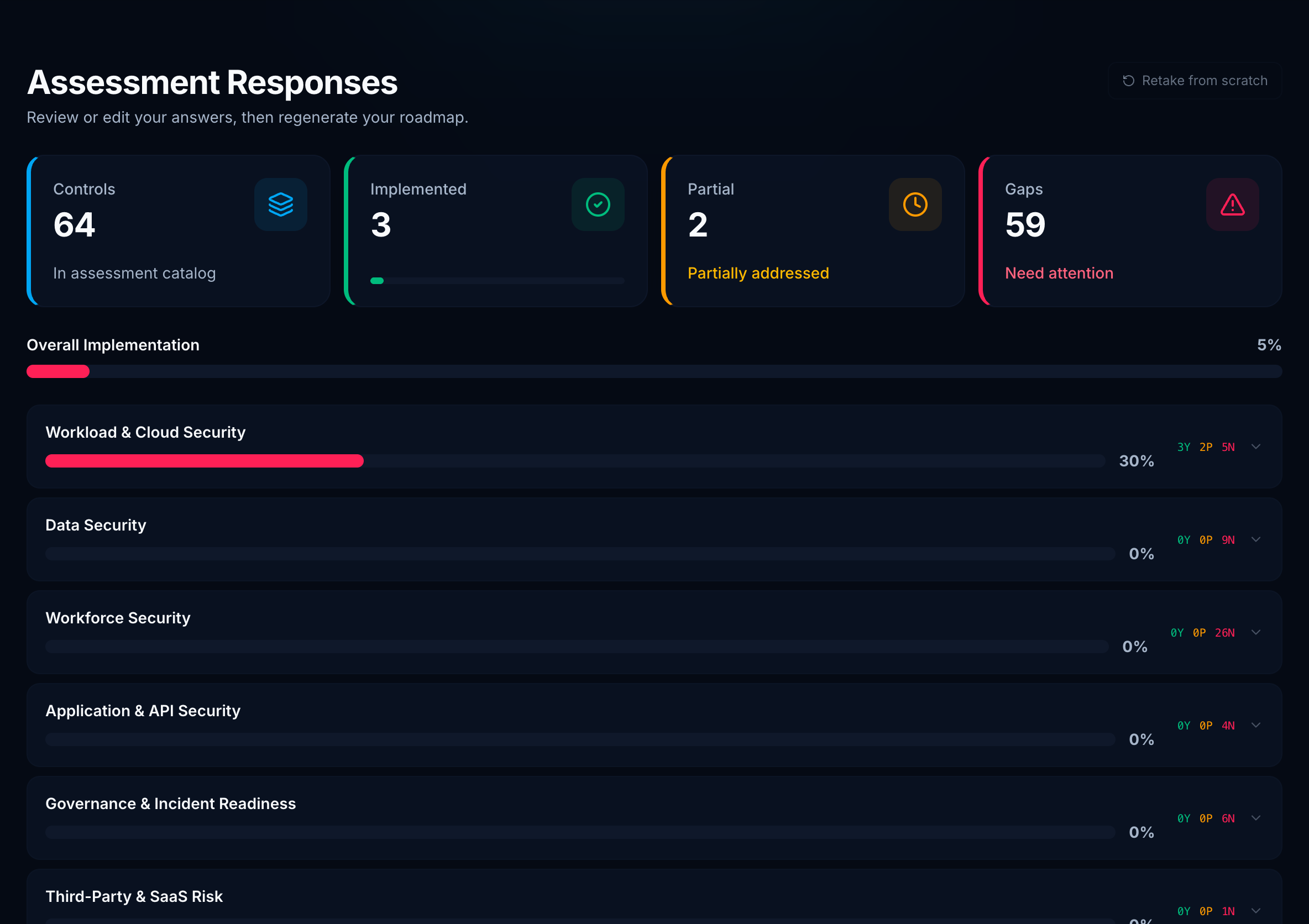
Accordion by pillar with Yes / Partial / Gap counts and an overall implementation bar. Edit any answer before submit.
Persist answers, regenerate the roadmap, and sync Tasks. Dashboard score uses effective answers (after submit), not unsaved drafts.
Open Assessment
Use the sidebar. Admins can change answers; viewers can read.
Answer by pillar
Be honest - Partial is better than Yes if the control is incomplete. Atlas prioritizes gaps, not vanity scores.
Review and submit
Confirm counts, then submit. Re-submit anytime; score history on Dashboard records the delta.
After submit, go to Roadmap. Each capability appears only in its highest-urgency phase (Do now beats Do next).